For the complete documentation index, see llms.txt. Markdown versions of all docs pages are available by appending .md to any docs URL.
Providers
Configure agentgateway for first-class, OpenAI-compatible, and self-hosted LLM providers
Learn how to configure agentgateway for a particular LLM providerProviderA service that provides LLM capabilities, such as OpenAI, Anthropic, or Azure. Agentgateway supports multiple LLM providers and can route to different providers based on configuration..
To manage models and providers on a running gateway from the command line, see Manage config resources with agctl.
First-class providers
Use the dedicated provider pages when agentgateway already knows the upstream base URL and request format. This list includes Anthropic, OpenAI, and many more!
Custom providers
Use Custom providers only for providers that do not have a first-class shortcut. Examples include vLLM, LM Studio, or another service that exposes a compatible API format.
Tip
Compare provider prefixes, exact names, wildcards, and custom names in Choose how to expose models.
Authentication
For simplified llm configuration, upstream provider authentication is configured per model via llm.models[] (typically params.apiKey for API-key providers, and auth for cloud-native flows). In routing-based configurations, use policies.backendAuth on a route instead.
API key
You can set a model’s API key in the UI or in your configuration file.
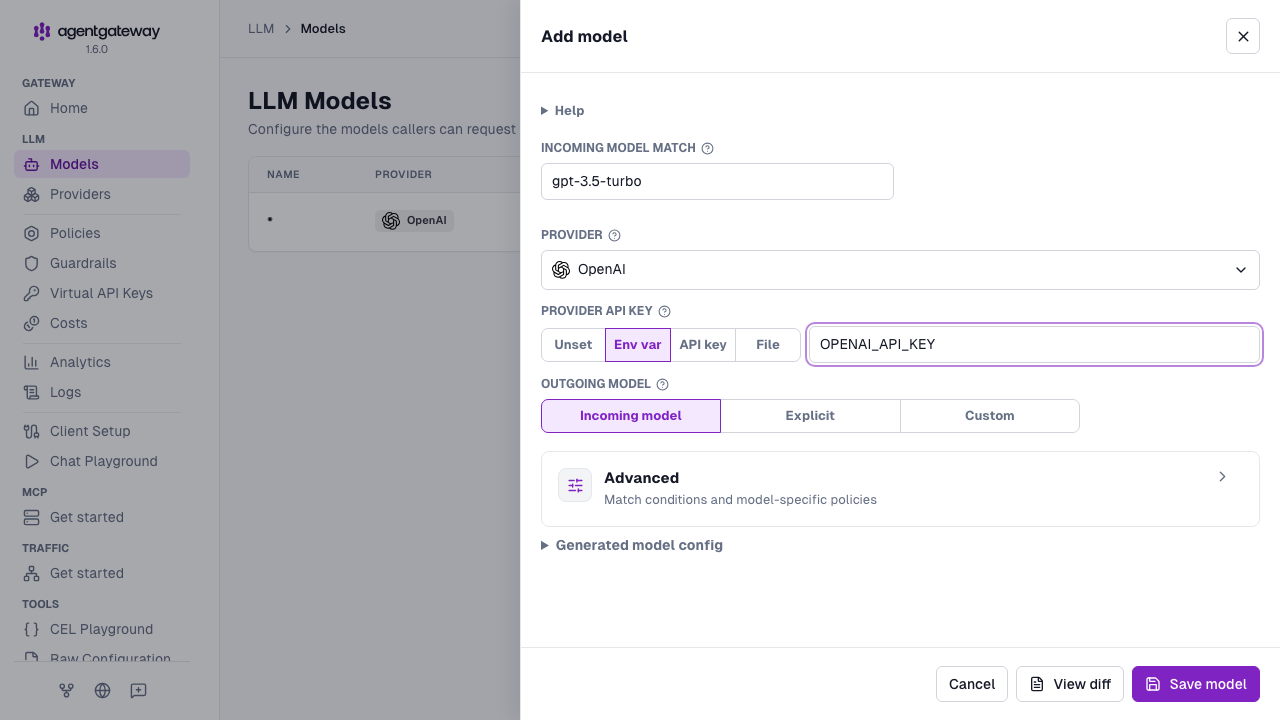
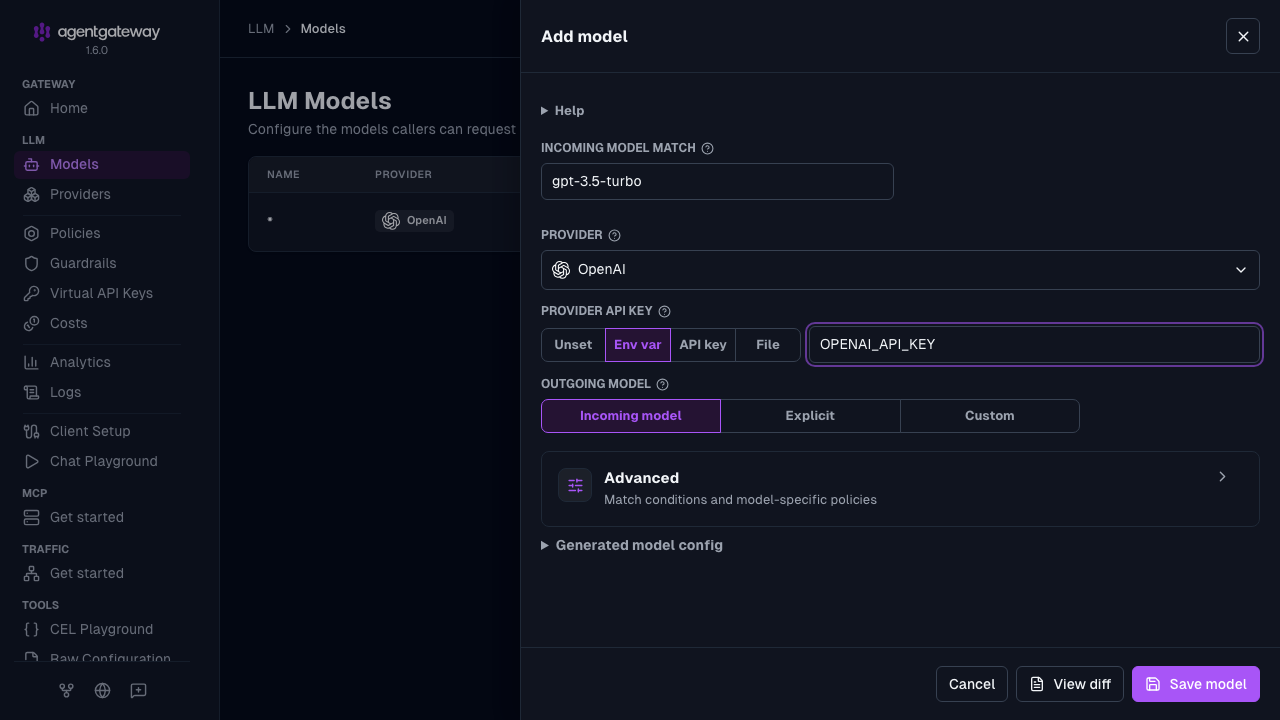
Open LLM > Models, and click Add model, or click the Edit model icon for an existing model.
For the Provider API key, select how to provide the key.
- Env var: Enter the name of an environment variable, such as
OPENAI_API_KEY. The UI saves the value as$OPENAI_API_KEY. The variable must be set when agentgateway starts. - API key: Enter the key value. The UI saves the raw value in your configuration.
- File: Enter the path to a file that contains the key.
- Env var: Enter the name of an environment variable, such as
Click Save model.
Amazon Bedrock and Gemini Enterprise (GCP Vertex) show cloud credential options instead. For Azure, select API key in the Azure credentials field to see the same choices. The form has no field for auth.key.location. To set it, click the Raw icon (<>) in the drawer header, or use the Config file tab.
Whether the UI can save depends on your storage mode. For more information, see Save changes from the UI.
Use auth.key.location only when a provider needs the credential somewhere other than its default location. For example, Azure often uses api-key:
llm:
  models:
  - name: "*"
    provider:
      custom:
        formats:
        - type: completions
    auth:
      key:
        value: "$API_KEY"
        location:
          header:
            name: api-key
Credential passthrough
To forward the validated incoming JWT to the upstream provider, use passthrough:
llm:
  models:
  - name: "*"
    provider: openAI
    auth:
      passthrough: {}
Cloud provider auth
- Google Cloud:
auth.gcpuses Application Default Credentials (ADC) and can fetch an access token or ID token (depending on thetypeyou select). - AWS:
auth.awssigns upstream requests with SigV4 using standard AWS credentials (for example, environment variables, an instance profile, or a shared config profile). - Azure:
auth.azureuses Entra ID.auth.azure.implicituses the Azure SDK’sDefaultAzureCredentialto discover credentials automatically.
These are the default auth mechanisms for the corresponding built-in providers, so you usually only need to override them when you need custom credential handling.
This example sets authentication explicitly for each cloud provider. It uses provider prefixes, such as bedrock/*, to route requests to the matching provider.
llm:
  models:
  - name: "vertex/*"
    provider: vertex
    params:
      vertexProject: my-project-id
      vertexRegion: us-central1
    auth:
      gcp:
        type: accessToken
    transformation:
      model: llmRequest.model.stripPrefix("vertex/")
  - name: "bedrock/*"
    provider: bedrock
    params:
      awsRegion: us-west-2
    auth:
      aws: {}
    transformation:
      model: llmRequest.model.stripPrefix("bedrock/")
  - name: "azure/*"
    provider: azure
    params:
      azureResourceName: my-resource-name
      azureResourceType: openAI
    auth:
      azure:
        implicit: {}
    transformation:
      model: llmRequest.model.stripPrefix("azure/")
Upstream TLS
Agentgateway uses TLS with default settings when a model uses a built-in provider or a baseUrl that starts with https://. To change these settings, such as to trust a private CA or to present a client certificate, set tls on the model in llm.models[].tls.
If several models reference the same named provider, set tls once in the provider’s llm.providers[].defaults.tls instead. Each model that references the provider uses these settings, unless the model sets its own tls. A model-level tls replaces the provider’s settings completely. The two are not merged, so repeat every field that the model needs.
The following example configures a self-hosted provider that uses a private CA. Both models use the provider’s TLS settings and send a different model name upstream.
# yaml-language-server: $schema=https://agentgateway.dev/schema/config
llm:
  providers:
  - name: local
    provider:
      custom:
        formats:
        - type: completions
    params:
      baseUrl: https://llm.example.test/v1
    defaults:
      tls:
        root: /certs/trusted.crt
  models:
  - name: local/small
    provider:
      reference: local
    params:
      model: small
  - name: local/large
    provider:
      reference: local
    params:
model: large| Field | Description |
|---|---|
llm.providers[].defaults.tls | TLS settings for each model that references this provider. Takes the same fields as llm.models[].tls. |
tls.root | Path to a PEM file with the CA certificates to trust. If agentgateway cannot read the file, the configuration fails to load. When you run agentgateway in a container, mount the file into the container. |
tls.hostname | The server name to use for SNI and certificate verification. |
tls.subjectAltNames | More subject alternative names to accept in the upstream certificate. |
tls.cert, tls.key | Paths to the client certificate and private key for mutual TLS. |
llm.models[].params.model | The model name that agentgateway sends upstream. A model that references a provider can set only this parameter. |
For all TLS settings, see Backend TLS.
OpenAI
Route agentgateway LLM traffic to OpenAI’s GPT models.
Amazon Bedrock
Route agentgateway LLM traffic to foundation models on Amazon Bedrock.
Anthropic
Route agentgateway LLM traffic to Anthropic’s Claude models.
Azure
Route agentgateway LLM traffic to models hosted on Microsoft Azure AI.
Gemini
Route agentgateway LLM traffic to Google Gemini models.
Ollama
Configure agentgateway to route LLM traffic to Ollama for local model inference
Vertex AI
Route agentgateway LLM traffic to models on Google Cloud Vertex AI.
Baseten
Route agentgateway LLM traffic to models hosted on Baseten.
Cerebras
Route agentgateway LLM traffic to models hosted on Cerebras.
Cohere
Route agentgateway LLM traffic to Cohere’s models.
DeepInfra
Route agentgateway LLM traffic to models hosted on DeepInfra.
DeepSeek
Route agentgateway LLM traffic to DeepSeek’s models.
Fireworks AI
Route agentgateway LLM traffic to models hosted on Fireworks AI.
GitHub Copilot
Route agentgateway LLM traffic to models available through GitHub Copilot.
Groq
Route agentgateway LLM traffic to models served by Groq.
Hugging Face
Route agentgateway LLM traffic to models hosted on Hugging Face.
Meta
Route agentgateway LLM traffic to the Meta Model API.
Mistral AI
Route agentgateway LLM traffic to Mistral’s models.
Nebius Token Factory
Route agentgateway LLM traffic to models served by Nebius Token Factory.
OpenRouter
Route agentgateway LLM traffic to models available through OpenRouter.
Perplexity
Route agentgateway LLM traffic to models available through Perplexity.
Together AI
Route agentgateway LLM traffic to models hosted on Together AI.
TypeSafe
Route agentgateway LLM traffic to TypeSafe Jev with the built-in provider preset.
xAI
Route agentgateway LLM traffic to xAI’s Grok models.
Multiple LLM providers
Define reusable LLM provider configurations once and reference them across multiple model …
Custom
Configure agentgateway for providers without built-in support that use an LLM API format.